Instant Access
Enter your registered email and password to reach your full account, including game history, active bonuses, and payment options, within seconds.
Login at iLucki Casino: Access via PWA
Access your account to play slots, live tables, and jackpot games - securely encrypted and available on any device.
Account Security Tips
What You Should Do
What You Should Avoid
Signing In Made Simple
Instant Access
Enter your registered email and password to reach your full account, including game history, active bonuses, and payment options, within seconds.
SSL Encrypted Login
All login sessions are protected by SSL/TLS encryption. Your credentials are never stored in plain text and are never shared with third parties.
Login on Any Device
iLucki is fully accessible on Android 5.0+ and iOS 12.0+ via a mobile-optimised browser. No app download is needed to sign in from your phone.
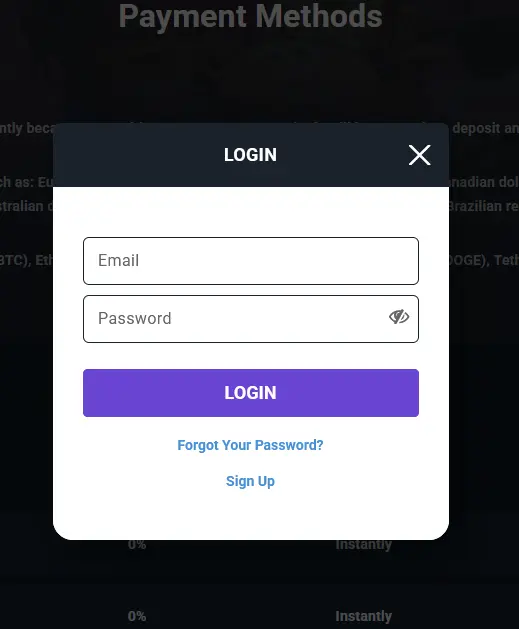
Accessing your iLucki account requires only your registered email address and your chosen password. The login form is available from the top of every page on iluckislots.com. Once authenticated, you land directly on your account dashboard, where your active bonus balance, game history, and payment options are all visible at a glance.
Open iluckislots.com in any modern browser, click the login button in the top-right corner, and enter your registered email and password. If you have enabled two-factor authentication, you will be prompted to enter the verification code from your authenticator app before access is granted.
The iLucki mobile site is fully optimised for Android 5.0 and above and iOS 12.0 and above. Open iluckislots.com in your mobile browser, tap the login button, and enter your credentials exactly as you would on desktop. All account features, including live chat, deposits, withdrawals, and game launches, are accessible after mobile login without any additional steps.
If you have added the iLucki PWA shortcut to your home screen, tap the icon and use the same email and password as your standard login. The PWA session behaves identically to the full browser experience, including access to your bonus balance and the complete game catalogue from Pragmatic Play, NetEnt, Evolution Gaming, and our other provider partners.
If your login attempt fails, first confirm that you are entering the email address used during registration and that Caps Lock is not active. Clearing your browser cache can resolve persistent login errors caused by outdated session data.
If you cannot recall your password, click the password reset link below the login form. A reset link will be sent to your registered email address within a few minutes. Follow the link, set a new password, and attempt login again. If you no longer have access to the registered email address, contact our team at [email protected] with your full name and account details so we can assist with identity verification.
If your account has been locked due to repeated failed attempts, it will unlock automatically after a short period, or you can contact live chat for immediate assistance. We cannot bypass the security lock without confirming your identity first.
Two-factor authentication (2FA) is available on all iLucki accounts and can be enabled from the security section of your account settings. When 2FA is active, each login requires a time-sensitive code generated by your authenticator app in addition to your password. This substantially reduces the risk of unauthorised access even if your password is compromised.
We recommend using a unique, complex password that is not reused across other platforms. iLucki support staff will never ask for your password under any circumstances. If you receive a message requesting your password or login details, do not respond and contact us immediately at [email protected].
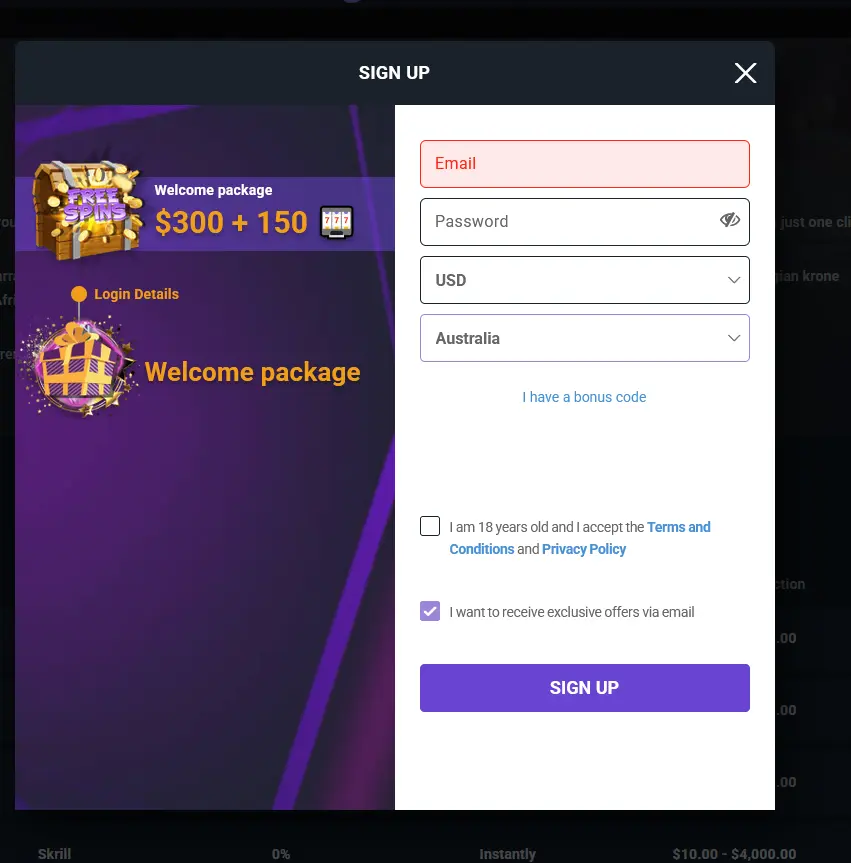
Registration on iluckislots.com is free and takes under two minutes. You will need to provide your name, email address, date of birth, and a password. Once your account is created and your email is verified, you are eligible for the welcome bonus of a 100% deposit match up to AU$600 plus 100 free spins on Sweet Bonanza by Pragmatic Play. 18+ only. Wagering requirements apply. Please gamble responsibly.
Login Questions Answered
Use the password reset link on the login page. A recovery email will be sent to your registered address; follow the link to set a new password and regain access.
Yes, the iLucki mobile site is fully functional on iOS 12.0+ and Android 5.0+ via any modern browser. No app from the App Store or Google Play is required.
As a security measure, repeated failed login attempts trigger a temporary account lock. Contact our support team via live chat or at [email protected] to unlock your account.
Ready to Play? Sign In Now
Grab 100% up to A$600 and 100 free spins.
Enter Casino This site is intended for players 18 years and older. Gambling involves risk of addiction. Bonus offers are subject to terms and conditions.