Android
- Minimum OS: Android 5.0 (Lollipop) or later
- Recommended browser: Chrome 80+
- Installation: Add to Home Screen via browser menu (no Google Play required)
Everything About the App at iLucki Casino
The full iLucki Casino experience on Android and iOS - slots, live tables, deposits, and withdrawals without downloading anything from an app store.
Everything in Your Pocket
The full iLucki Casino experience on Android and iOS - slots, live tables, deposits, and withdrawals without downloading anything from an app store.
Launch on Mobile This site is intended for players 18 years and older. Gambling involves risk of addiction. Bonus offers are subject to terms and conditions.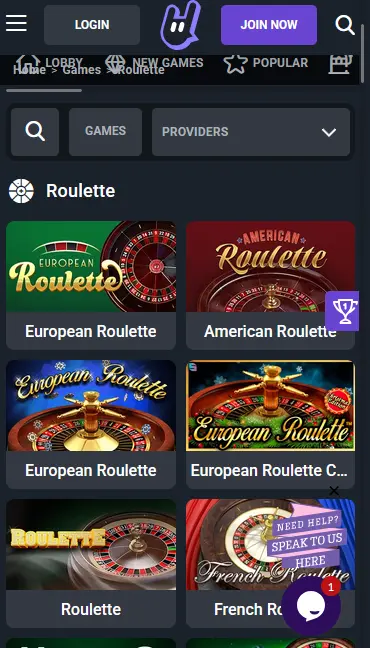
Mobile Experience: Pros and Cons
Pros
Cons
Device Compatibility
Android
iOS
What the Mobile Version Delivers
Full Catalogue on Mobile
Every game in the iLucki library - including Pragmatic Play slots, Evolution Gaming live tables, and Nolimit City titles - is available through the mobile browser.
PWA Home Screen Shortcut
Add iLucki to your home screen as a Progressive Web App for one-tap access. It behaves like a native app without taking up storage or requiring an app store install.
Secure Mobile Sessions
All mobile sessions use SSL/TLS encryption. Two-factor authentication and biometric login (where your device supports it) are available for added account security.
Mobile Account Security
What You Should Do
What You Should Avoid
How to Add iLucki to Your Home Screen
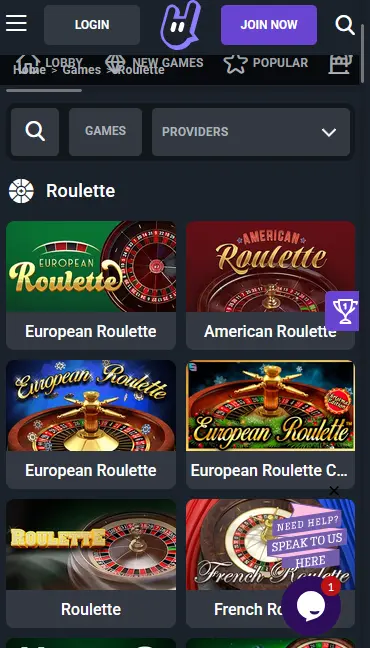
iLucki’s mobile experience is built on a fully responsive browser-based platform rather than a dedicated native app. This means the complete game catalogue, including slots from Pragmatic Play and Nolimit City, live casino tables from Evolution Gaming and Ezugi, jackpot games, and game shows, is accessible from any compatible smartphone or tablet without a download. The mobile cashier supports all payment methods available on desktop, including Visa, Mastercard, Skrill, Neteller, Paysafecard, Bitcoin, and Ethereum.
The iLucki mobile site scales automatically to any screen size, presenting the full lobby in a touch-optimised layout. Game search, category filters, provider filters, and account management functions including bonus tracking, deposit history, and withdrawal requests are all accessible without switching to a desktop view. Live chat with our support team is available from the mobile site 24/7, connecting you to an agent at [email protected] if a follow-up is needed.
The mobile browser version is functionally identical to the desktop experience. The only practical difference is the absence of a native installed application from the Google Play Store or App Store. Players who prefer an app-like experience can add the PWA shortcut to their home screen, which provides a full-screen launch icon, offline splash screen, and persistent login session comparable to a native app.
iLucki does not require a download in the traditional sense. Access is through your mobile browser, and the optional PWA shortcut is created from within that browser in under 30 seconds.
On Android, open Chrome and navigate to iluckislots.com. Tap the three-dot menu in the upper-right corner and select Add to Home Screen. Confirm the name and tap Add. The iLucki icon will appear on your home screen immediately. Android 5.0 (Lollipop) or later is required. Chrome 80 or above is recommended for optimal performance and PWA compatibility.
On iPhone or iPad, open Safari and go to iluckislots.com. Tap the Share icon at the bottom of the browser toolbar (the square with an upward arrow) and scroll to find Add to Home Screen. Tap it, confirm the label, and tap Add in the top-right corner. The iLucki shortcut will appear on your home screen. iOS 12.0 or later is required. Safari is the recommended browser for PWA installation on Apple devices, as third-party browsers on iOS may have restricted PWA support.
The full slot library from Pragmatic Play, Play’n GO, NetEnt, Nolimit City, Push Gaming, Quickspin, Wazdan, BGaming, Habanero, Red Tiger Gaming, and all other iLucki providers loads directly in the mobile browser. High-volatility titles such as Wanted Dead or a Wild (Nolimit City, RTP 96.38%), Dead or Alive 2 (NetEnt, RTP 96.82%), and Jammin’ Jars (Push Gaming, RTP 96.83%) perform well on mobile with touch-optimised spin controls and auto-play functionality.
Live casino tables from Evolution Gaming, including Lightning Roulette, Crazy Time, Power Blackjack, and Baccarat Squeeze, stream via adaptive bitrate video on both 4G mobile connections and Wi-Fi. Pragmatic Play Live’s Sweet Bonanza CandyLand and Ezugi’s Andar Bahar are also available on mobile. Betting limits and seat availability are identical to the desktop live casino.
RNG table games from Microgaming, Betsoft, and Play’n GO are all playable on mobile. Progressive jackpot titles from Betsoft and Habanero display live prize pool values on their game thumbnails within the mobile lobby, identical to the desktop experience.
The full iLucki welcome bonus, a 100% first deposit match up to AU$600 and 100 free spins on Sweet Bonanza by Pragmatic Play, is available to players who register and deposit via the mobile browser or PWA. No separate mobile-specific registration is required - the same account and bonus apply regardless of the device used. A 40x wagering requirement applies to the bonus amount. Maximum bet AU$5 while bonus is active. Valid 7 days from issue. 18+ only. Please gamble responsibly.
All deposit and withdrawal methods available on desktop are accessible through the mobile cashier, including Visa, Mastercard, Skrill, Neteller, Paysafecard, MiFinity, Interac, Bitcoin, Ethereum, Litecoin, Tether (USDT), Ripple, Bitcoin Cash, and Dogecoin.
| Method | Deposit | Withdrawal |
|---|---|---|
| Visa / Mastercard | Instant | 1-3 business days |
| Skrill / Neteller | Instant | 1-3 business days |
| Paysafecard | Instant | N/A (deposit only) |
| Bitcoin / Ethereum | 10-30 min | Up to 24 hours |
| Litecoin / Dogecoin | 10-30 min | Up to 24 hours |
| USDT / Ripple | 10-30 min | Up to 24 hours |
All transactions through the mobile cashier use the same SSL/TLS encryption as the desktop platform. Cryptocurrency withdrawals are dispatched to the wallet address registered on your account. No payment credentials are stored on your device - all data is handled server-side by Antillephone N.V. under Curacao eGaming Licence No. 8048/JAZ2019-015.
Registration is available directly from the mobile browser. Tap the registration button on the iluckislots.com homepage, enter your name, email address, date of birth, and a password, and confirm your email via the verification link. The process takes under two minutes. KYC identity verification using government-issued ID is required before your first withdrawal.
Use your registered email and password to log in from any device. If you have added the PWA shortcut to your home screen, the login session may persist between visits depending on your device settings. Two-factor authentication is supported on mobile and uses the same authenticator app setup as on desktop.
All data exchanged between the iLucki mobile site and our servers is protected by SSL/TLS encryption. This applies to login, registration, payment processing, and all in-session communications. No sensitive data is cached locally on your device.
2FA can be enabled from your account security settings and works identically on mobile and desktop. On devices that support biometric authentication, your browser may offer Face ID or fingerprint login as a shortcut to the saved credential - this is managed by your device’s operating system and browser, not by iLucki directly.
Live chat is accessible from the mobile site at all times via the chat icon on iluckislots.com. Our support team is available 24/7 to assist with account queries, bonus questions, payment issues, and technical problems. For written correspondence or document submissions, contact us at [email protected].
The same responsible gambling tools available on desktop are fully accessible on mobile. Deposit limits, session time limits, reality check reminders, and self-exclusion can all be managed from your account settings. If you need to set a restriction immediately, contact our live chat team and it will be applied to your account without delay.
Mobile Play - Common Questions
iLucki does not currently offer a native app on Google Play or the App Store. The full casino is accessible via mobile browser on Android 5.0+ and iOS 12.0+, and a PWA shortcut can be added to your home screen.
Yes, all bonuses including the 100% first deposit match and 100 free spins on Sweet Bonanza by Pragmatic Play are fully available when you register and deposit via the iLucki mobile site.
Yes, the full live casino section including Lightning Roulette, Crazy Time, Power Blackjack, and Baccarat Squeeze by Evolution Gaming streams on mobile over 4G and Wi-Fi connections.
Play iLucki on Your Phone Today
Grab 100% up to A$600 and 100 free spins.
Enter Casino This site is intended for players 18 years and older. Gambling involves risk of addiction. Bonus offers are subject to terms and conditions.